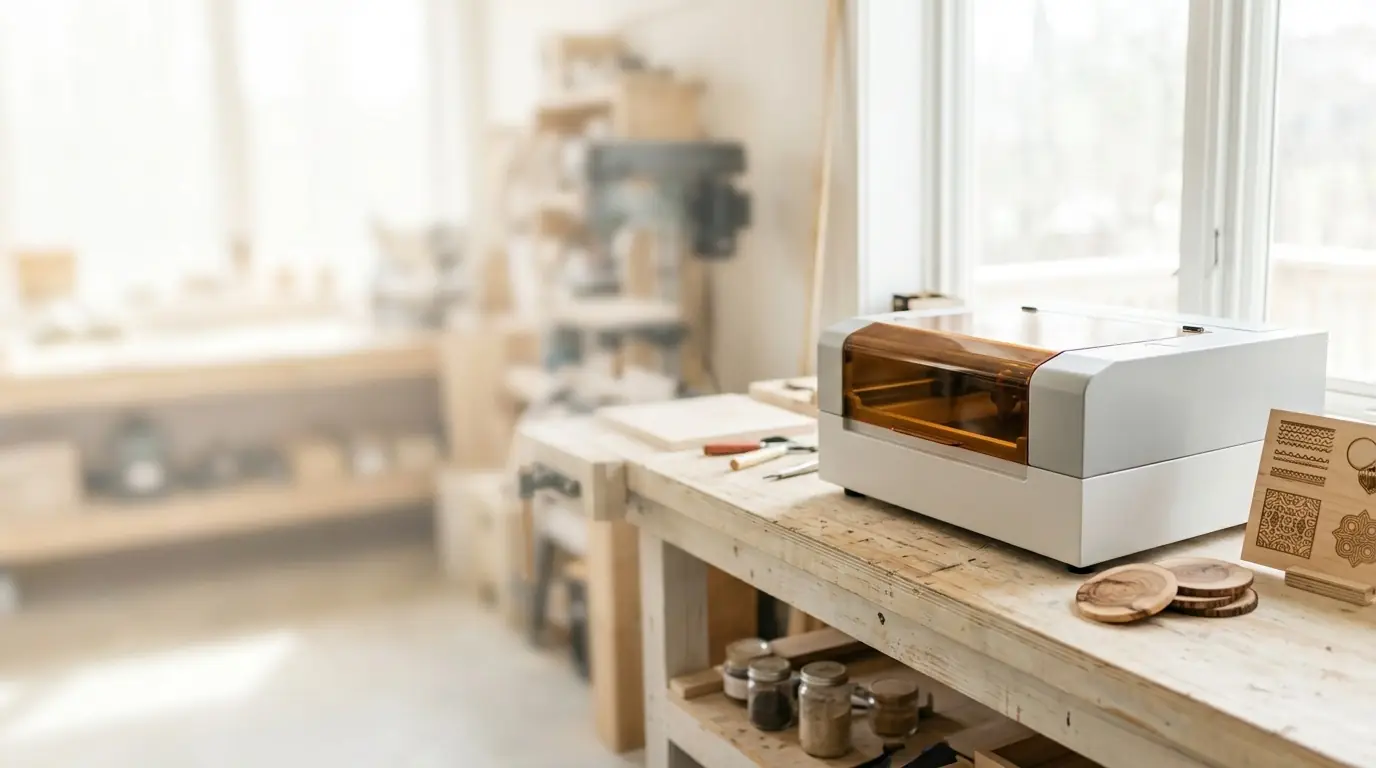
A laser engraver turns a design on your screen into a mark on wood, leather, glass or metal, and many machines can cut shapes out completely. That makes them one of the most versatile tools a maker can own, for personalized gifts, signs, jewelry, models or a small side business.
They are also genuinely hazardous if used carelessly: they can start fires, damage eyes and release toxic fumes from the wrong materials. This guide covers how they work and how to use one safely from day one.
How laser engraving works
A laser engraver focuses a powerful beam of light onto a tiny spot. The energy heats the material until it darkens, vaporizes or melts, depending on what the material is and how much power you use. The machine moves the beam, or the material, along a path that software creates from your design.
- Engraving removes or darkens the surface, line by line, like a printer. It is used for photos, text and filled shapes.
- Cutting follows the outline of a shape with enough power, often in several passes, to go all the way through.
- Marking changes the color of a surface without removing much material, which is how most machines label metal.
The three main types of laser
| Laser type | Typical uses | Main limits |
|---|---|---|
| Diode (usually blue light) | Engraving and cutting wood, leather, card, dark acrylic; marking coated metal | Slower cutting; cannot cut clear acrylic, which the beam passes through |
| CO2 | Faster, thicker cuts in wood and acrylic, including clear acrylic; glass engraving | Larger, more expensive machines; cannot mark bare metal without a coating |
| Fiber | Marking and deep engraving of metals, including color marking on stainless steel with some models | Poor at cutting wood or clear materials; smaller work areas |
Diode machines are the most common starting point because they are affordable and compact. CO2 lasers suit anyone who wants to cut a lot of wood or acrylic, and fiber lasers are the choice for metal.
Which materials are safe, and which are not
Usually safe with the right settings: natural wood and plywood, MDF, cardboard and paper, genuine leather, cork, cast acrylic (with a CO2 laser for cutting), anodized aluminum, slate, stone and glass (for engraving).
Never laser these:
- PVC, vinyl and faux leather. They release chlorine gas when cut, which harms your lungs and corrodes the machine. University safety offices list them as prohibited on every laser cutter.
- Polycarbonate (Lexan). It melts and catches fire rather than cutting cleanly.
- ABS plastic. It melts and gives off harmful fumes.
- Foam board and polystyrene foam, which catch fire easily.
- Anything you cannot identify. If you are not sure what a plastic is, do not cut it. Check the material's safety data sheet.
Safety basics
Eye protection and laser classes
Lasers are sold in safety classes. A machine is Class 1 when its enclosure completely blocks the beam, even though the laser inside is far more powerful. Many affordable open-frame engravers are Class 4, the highest class, which means the direct beam is a hazard to eyes and skin and can start fires.
On an open-frame machine, everyone in the room needs safety glasses rated for that laser's wavelength. Ordinary sunglasses or tinted acrylic do not protect you. Check that the glasses list your laser's wavelength and an adequate optical density.
Fire
The intense heat that makes engraving possible can ignite the material. Never leave a running laser unattended, keep the work area clear of clutter, keep a suitable fire extinguisher within reach, and stop the job immediately if flames grow beyond a brief flicker. Air assist, a gentle stream of air at the cutting point, reduces flare-ups and gives cleaner cuts.
Fumes and ventilation
Burning wood, leather and acrylic produces smoke and fumes that should not stay in your home. Vent the machine outside through an exhaust fan and duct as its maker prescribes, or use a filter unit designed for laser fumes, and keep the exhaust away from windows and doors where people gather.
Software and files
Most machines come with their own software, and many also work with LightBurn, a popular paid program.
- Vector files (SVG, DXF, AI) describe lines and shapes. They are used for cutting and for crisp outlines.
- Raster images (PNG, JPG) are made of pixels. They are used for engraving photos and shaded designs.
Every material behaves differently, so start each new material with a test grid: a set of small squares engraved at different power and speed settings. It shows you the best settings before you ruin a good piece.
Good first projects
- Coasters and cutting boards with names or patterns
- Wooden keychains, ornaments and gift tags
- Leather patches, key fobs and bookmarks
- Signs and house numbers
- Engraved slate or glass gifts
Simple, flat projects teach you focus, settings and alignment before you move on to boxes, puzzles and multi-layer pieces.
Choosing your first machine
The right laser depends on what you want to make, how much space you have and whether the machine will share a room with family or pets. Enclosed machines are safer indoors, larger beds handle bigger signs, and more power cuts thicker material in fewer passes.
Frequently asked questions
What is the difference between laser engraving and laser cutting?
Engraving marks or removes the surface of a material; cutting goes all the way through it. Most machines do both, but cutting needs more power and often several passes.
Can a laser engraver engrave metal?
It depends on the laser. Fiber lasers mark and engrave bare metal. Diode and CO2 lasers can mark coated or anodized metal, or bare metal with a special marking spray, but not bare metal on their own in most cases.
Do I need ventilation for a laser engraver?
Yes. Every laser produces smoke and fumes. Vent them outside or through a filter made for laser fumes, as the maker of your machine recommends.
Sources
- Laser cutters safety guidance, University of Illinois Division of Research Safety
- Prohibited laser cutter materials, University of Texas at Austin School of Architecture
- Laser classifications, UC Berkeley Office of Environment, Health and Safety